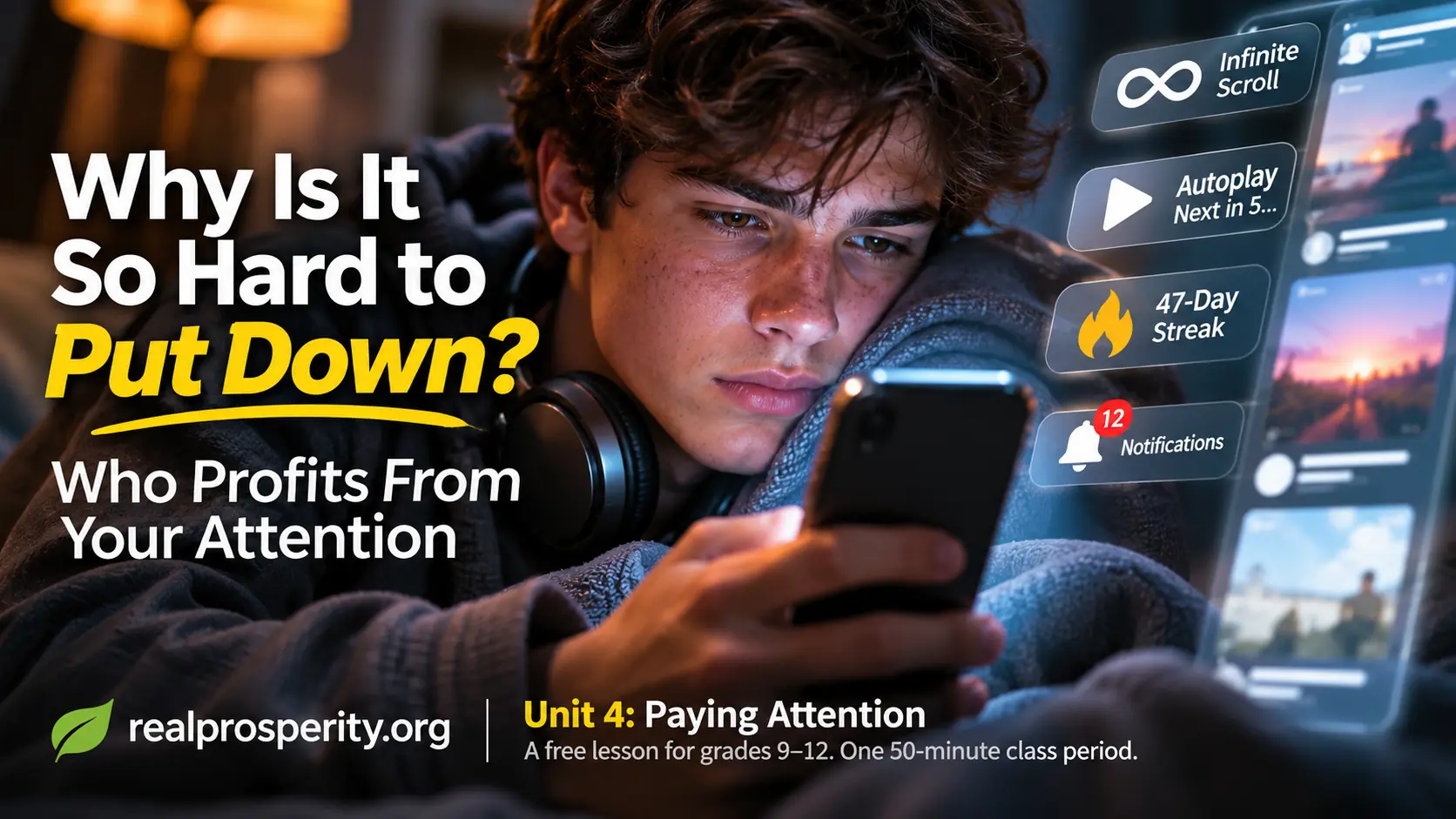
Unit 4: Paying Attention. A free lesson from Real Prosperity for grades 9-12: one 50-minute class period, with an optional take-home extension.
What this lesson is for
Students spend hours a day in apps that are free to use. Those apps still make money, and most of them make it from attention: the more time people spend, the more ads they see. So the features that keep people scrolling are not accidents. Someone designed them, tested them and kept the ones that worked.
This lesson teaches students to ask two questions about any feature on their screen:
Who is this feature for? Does this app do better when I use it more, or when I'm better off?
Apps aren't bad, and spending time on them isn't bad. Plenty of features exist to help the person using them. The point is to tell the difference, and to make choices about time on purpose instead of by default.
Why it's worth a class period
Students have heard "too much screen time" for most of their lives, usually as a rule handed to them. Rules like that tend to make the phone more interesting, not less. This lesson doesn't set a limit. It shows students how the product works, so the decision about their time is theirs to make with their eyes open.
It also connects to the first three units. Unit 1 asked how a "free" product makes money. Here the answer is your attention, and the features are how it gets collected. Unit 2 asked what good a message will bring. This asks what good an hour will bring. Unit 3 asked who earns when you owe. Here, the question is who earns when you stay.
What students will be able to do
- Explain how an ad-supported app earns more when people spend more time in it.
- Identify common features designed to keep people using an app, and explain how each one works.
- Tell the difference between a feature that serves the user and one that mainly serves the app.
- Work out what a daily habit adds up to over a year, in time and in ads seen.
- Decide whether to keep, change, turn off or leave a feature, and give a reason.
Fits where
- Digital citizenship: healthy technology use, persuasive design, media literacy.
- Health / social-emotional learning: self-management, responsible decision-making.
- Economics: business models, incentives, attention as a resource.
- Mathematics: rates, unit conversion, estimation.
Teachers: check the exact code numbers against your own state's standards. This lesson was written against those topics, not a specific state's codes.
Words to know (5 minutes)
| Word | What it means | Everyday example |
|---|---|---|
| Ad-supported | Free to use, paid for by advertisers who want your attention. | A video app that plays an ad every few videos. |
| Engagement | How much people use an app: time spent, scrolls, taps, comments. | "Users spent 20% more time in the app this month." |
| Infinite scroll | A feed that never ends, so there's no natural place to stop. | A feed that loads more posts every time you reach the bottom. |
| Autoplay | The next video or episode starts on its own. | "Next episode in 5... 4... 3..." |
| Streak | A count of days in a row, which resets if you miss one. | "You're on a 47-day streak. Don't lose it!" |
| Default | The setting you get if you never change it. | Notifications on for everything. |
One line to leave on the board for the whole lesson:
If you're not paying for the product, your time is what's being sold.
The two questions (10 minutes)
Work this example on the board with the class. The numbers are made up, but they're easy to check.
Someone scrolls a free app for 2 hours a day. The app shows one ad for every 5 posts, and they see about 3 posts a minute.
| Per day | Per year | |
|---|---|---|
| Time spent | 2 hours | 730 hours |
| Posts seen | 360 | 131,400 |
| Ads seen | 72 | 26,280 |
(730 hours is more than 30 full days. If someone is awake about 16 hours a day, it's about 45 waking days, or six and a half weeks.)
1. Who is this feature for? Take infinite scroll. It's convenient, because nobody has to tap "next page." It also removes the natural place to stop. If the feed ended after 50 posts, some people would put the phone down. A feed that never ends gets more of those 72 ads seen.
2. Does this app do better when I use it more, or when I'm better off? For an ad-supported app, more time usually means more ads seen and more money earned. That doesn't make the app evil, and the people who build it aren't villains. It means the app's incentive and the user's interest can point in different directions, the same way a credit card's did in Unit 3. The user is the one who has to notice.
Ask the class: what would an app look like if it earned more money when you spent less time in it? Do any exist?
Activity: Feature cards (20 minutes)
Groups of three or four. Give each group three or four of the features below. For each one, the group writes down:
- Who it's for: mostly the user, mostly the app, or both.
- How it keeps people using the app, if it does.
- Whether it can be turned off or changed, and where. (Use what students already know, or the app's public help pages. Nobody needs to open their own account in class.)
- Their decision: keep it, change a setting, turn it off, or leave the app.
Feature A: The endless feed. A feed of posts and videos from people you follow and people you don't. It loads more every time you reach the bottom.
Feature B: Autoplay. When a video ends, the next one starts in five seconds unless you stop it.
Feature C: The streak. A messaging app counts how many days in a row you and a friend have sent each other something. If either of you misses a day, the count goes back to zero.
Feature D: The notification. "Someone you may know just posted for the first time in a while." It arrives at 10:40 on a school night.
Feature E: The like count. Every post shows how many likes it has, and your phone buzzes each time someone likes yours.
Feature F: The countdown. A shopping app says "Only 3 left! Deal ends in 14:59" next to a hoodie you looked at yesterday.
Feature G: The mystery box. A free game sells a $4.99 chest with a random prize inside. Most chests hold common items, and the rare one everyone wants is unlikely.
Feature H: The reminder. A study app lets you set a daily goal, and once you hit it, it says "Nice work. See you tomorrow."
Share out (10 minutes)
Have groups report on different features. Good questions to push with:
- Which feature did the most groups say was mostly for the app? Was anyone surprised?
- Feature H is different from the others. What makes it different? (It tells you when to stop.)
- In Feature C, who loses if you break the streak? Who loses if the app took streaks away?
- In Feature F, is the countdown true? How would you know? (Sometimes it is. Sometimes the timer starts over when you come back. Either way, it's built to make you decide fast.)
- In Feature G, why would a game hide the odds, or show them in small print? What would change if the odds were on the button?
- Pick one feature that's mostly for the app. How could it be redesigned to serve the user and still let the company make money?
Close with this: an app that's good for you is betting that you'll come back because it helped. An app that keeps you from leaving is betting that you won't notice.
Exit ticket (5 minutes)
On a half sheet:
- Write the two questions from memory.
- Name one feature on your own phone you'd change after today, and what you'd change.
Take-home extension (optional)
For one day, notice each time you open an app without deciding to. Make a tally mark each time. Before bed, pick the one feature that caused the most tally marks, and change one setting for it if you can.
(Bring back the number and the setting you changed, if any. Nobody needs to show their screen time or what they were looking at.)
Student worksheet
Names: ________________________________________
| Feature ___ | Feature ___ | Feature ___ | |
|---|---|---|---|
| Who is it for? (user / app / both) | |||
| How does it keep people using the app? | |||
| Can it be turned off or changed? Where? | |||
| Our decision (keep it / change a setting / turn it off / leave the app) | |||
| Why, in one sentence |
Teacher notes: what good answers look like
- Feature A: strong answers see both sides. An endless feed is convenient, and it also takes away the stopping point. Look for students who notice that "I'll stop at the end" can never happen.
- Feature B: autoplay is easy to turn off in most video apps, which makes it a good first setting to change. Strong answers notice that the default is on, and ask why.
- Feature C is the one students will feel most strongly about. Streaks can be fun and can keep friends in touch. They also turn a choice into an obligation, and the pressure comes from not wanting to let a friend down. Strong answers name both.
- Feature D: the notification isn't about anything you asked for. It's built to get you to open the app, at a time chosen by the app. Strong answers suggest turning off that kind of notification, or all of them at night.
- Feature E: like counts feel like feedback, but they also turn posting into a score. Good groups notice that some apps let users hide like counts, and talk about whether they'd want that.
- Feature F: "decide fast" is the point of the countdown. Strong answers connect it to Unit 3: a deal that won't let you think is a reason to slow down.
- Feature G: the mystery box is the closest to gambling in the set: you pay, and a random result decides what you get. Strong answers want to know the odds before they buy, and notice that the box costs real money even though the game is free.
- Feature H is the counterweight, the way Scenario A was the easy one in Unit 2. A feature that tells you when you're done is designed for the user. Strong answers use it as the model when they redesign another feature.
- Across all of them: any decision is acceptable when it's based on who the feature serves. Push back on "it's just an app" and on "phones are bad." The goal is choosing, not quitting.
A note on numbers: the scrolling example is made up so the math is easy to follow. If students want real numbers, many phones show daily screen time in their settings. Keep that private: students can use their own number for the math without sharing it.
License: CC BY 4.0. Copy it, change it, hand it out, and sell it as part of something bigger if you like. Just say where it came from. No sign-up, no account, and the lesson asks for nothing about you or your students.
Real Prosperity is an invitation to build an economy where doing the right thing is good business. This lesson is the fourth in a planned free series on living well with money, technology and other people. realprosperity.org